
Demo trading
Trade with simulated money on a demo account: how to turn it on, what it simulates, and how to switch between demo and real.
The demo account lets you try everything in Skyrexio with virtual money: smart trades, bots, backtests and the agent itself. It is the best place to learn how the confirmations and the strategy builder behave before you risk real funds.
Turn demo on
There are two ways, and both create the same account.
- On the start screen: press Try it on demo. This button is shown while you have no accounts.
- In the accounts panel: click the balance chip at the top right, then switch on Demo mode. The hint next to the toggle says that turning it on creates the demo accounts.
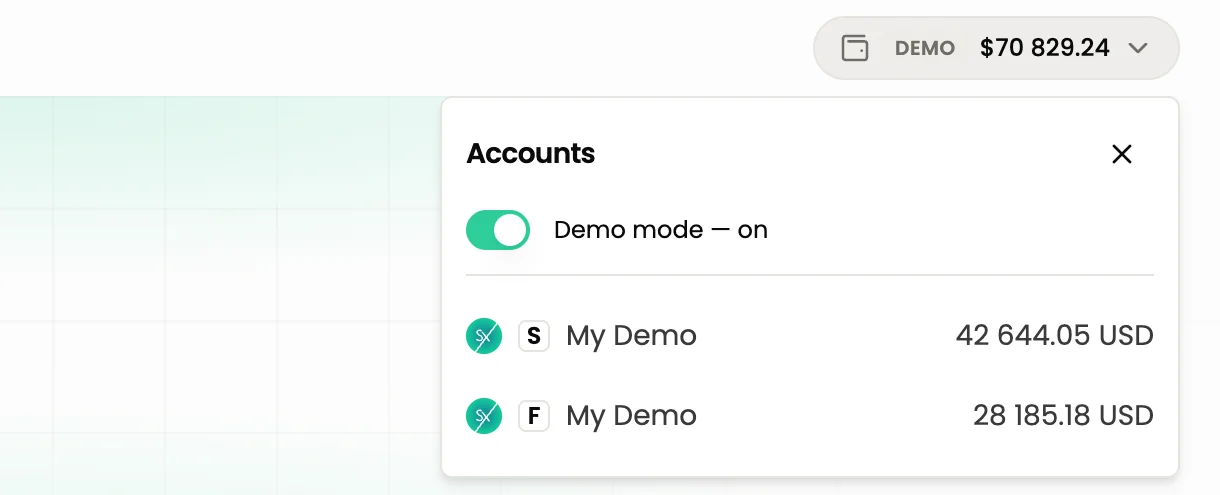
Each user has one demo account. It works for both spot and futures, and it appears as My Demo in the Accounts section. The chip at the top right shows a Demo badge while the mode is on.
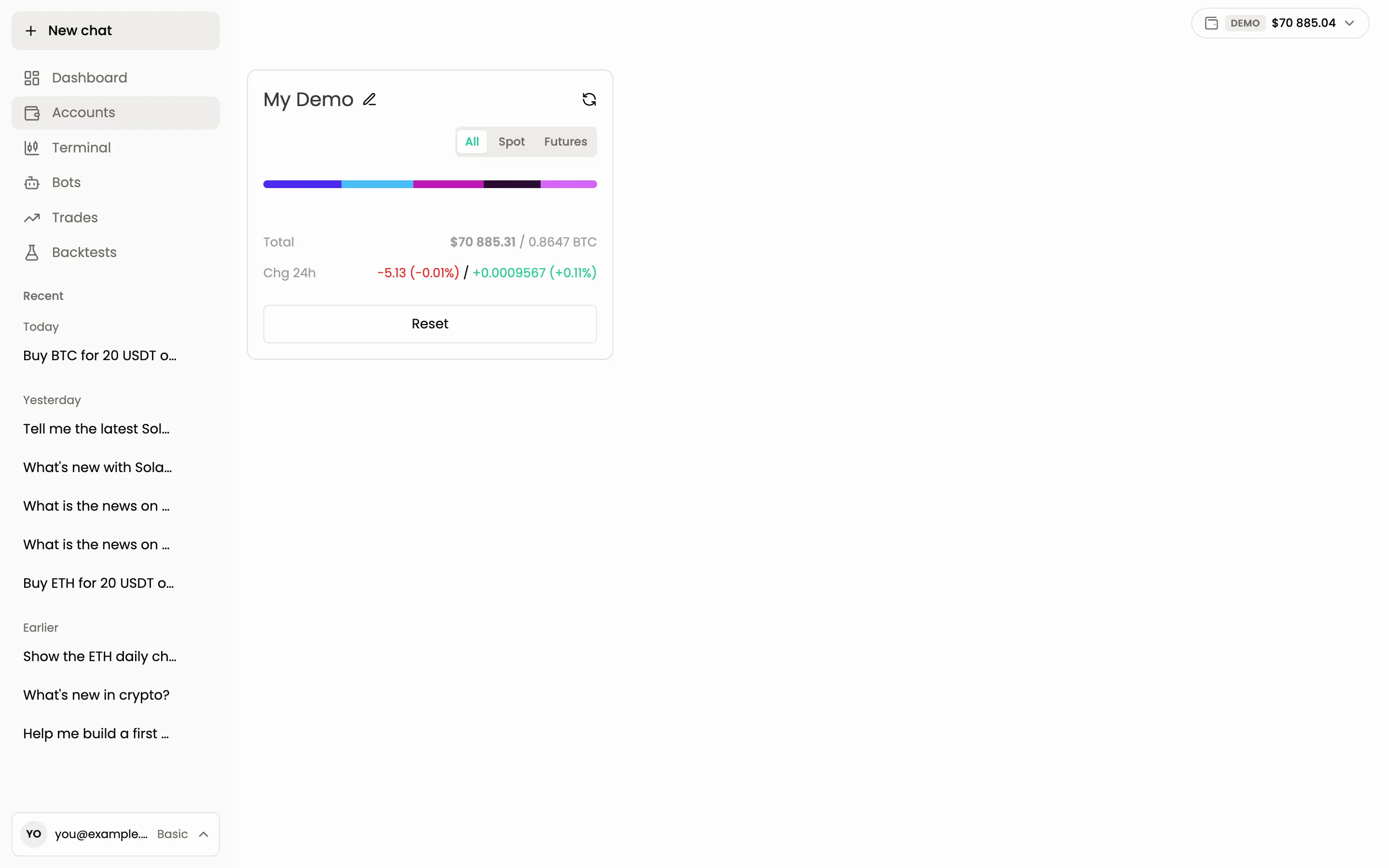
What the demo simulates
The demo account has a balance of several coins and stablecoins worth tens of thousands of dollars in virtual money. You can place orders, open smart trades with take profit and stop loss, run bots and test strategies the same way as on a real account. No money moves anywhere.
Demo is outside plan limits
Plan limits count only real accounts. On the demo account you can run unlimited bots, trades and backtests, even on the free Basic plan. This makes demo a good place to test a bot before you spend one of your running-bot slots on it. See Plans and limits.
Switch between demo and real
The whole workspace is in one mode at a time. When Demo mode is on, every section (Dashboard, Terminal, Bots, Trades, Backtests) shows demo data only. When it is off, you see only your real accounts.
The agent follows the same rule: it sees the current mode and nothing else. In demo mode it cannot read your real balances or touch your real trades, and the other way round. If you ask about something that lives in the other mode, switch the toggle first.
To go back to real money, open the accounts panel and switch Demo mode off.
The Demo mode toggle does not delete anything. Your demo balance and demo bots stay as they were until you switch back.
How to tell which mode a card is in
Every confirmation card carries a banner at the top. In demo mode it starts with DEMO (simulated money), for real accounts with REAL (your own money). Check the banner before you confirm anything. Demo cards stay valid for 30 minutes, real-money cards for 5.
Buy ETH for 200 USDT on demo with a 3% take profit and a 1.5% stop loss
Common questions
Can I use a demo strategy on a real account? Switch to real mode and ask the agent to build the same bot there, or set it up again in the strategy builder.
Next steps
Still have a question?
Ask the agent in the app, or write to support in the chat at the bottom right.