
Account menu and settings
The account menu at the bottom of the sidebar: settings, language, usage, help, plan and billing, and how to log out.
Everything about your account lives in one menu. It opens from the user block at the bottom of the left sidebar, where you see your email and your plan name.
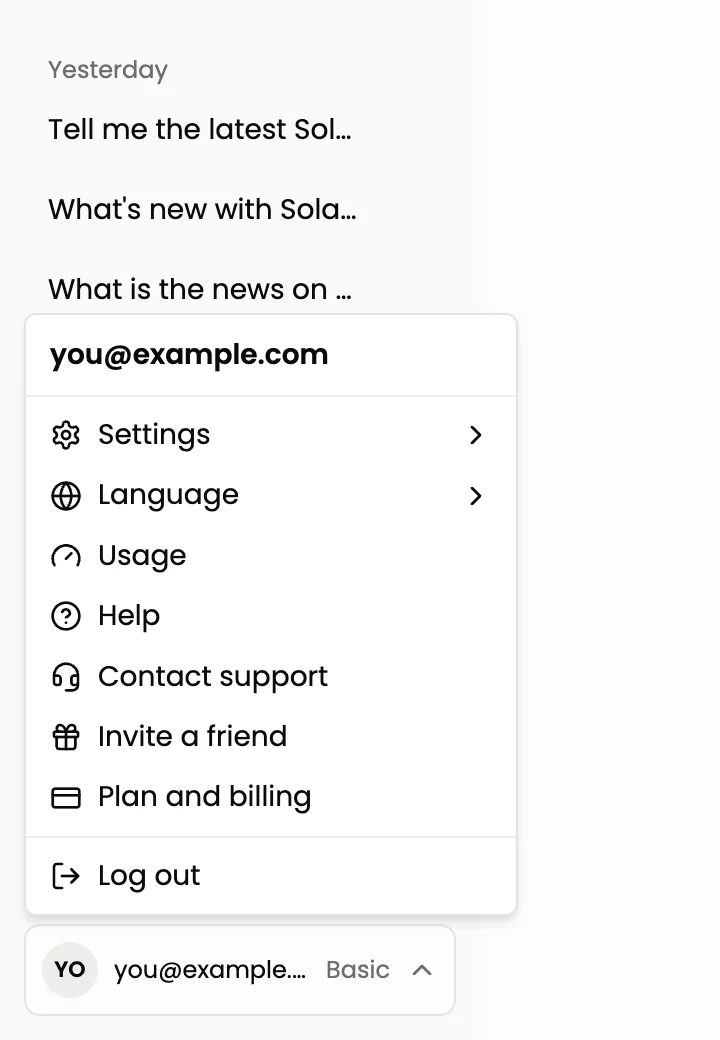
The menu header shows your email address. Below it:
| Item | What it does |
|---|---|
| Settings | A submenu with security and notification options, see below |
| Language | Switches the app between English and Russian |
| Usage | Shows how much of today's AI allowance you used |
| Help | Opens this documentation |
| Contact support | Opens the support chat |
| Invite a friend | Opens the referral program, see Referral program |
| Plan and billing | Opens your plan, limits and billing, see Plans and limits |
| Log out | Ends your session on this device |
Settings
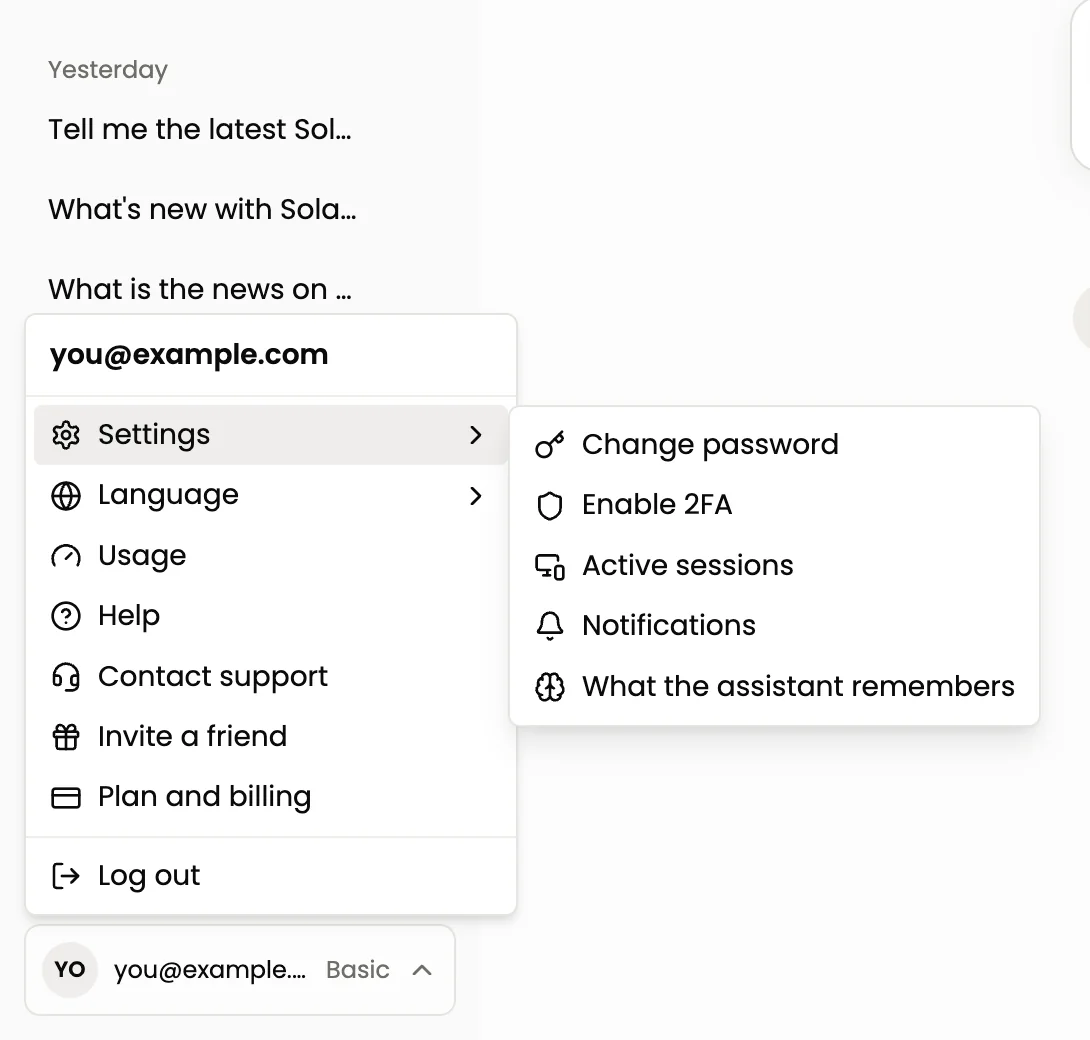
Change password
Opens a window where you set a new password.
Enable 2FA and Disable 2FA
Two-factor authentication asks for a code from your authenticator app when you sign in. The menu item names the action: it says Enable 2FA while it is off and Disable 2FA while it is on. See Security.
Active sessions
Shows the devices authorized with your account. Check it from time to time for devices you do not recognise, and change your password if you find one.
Notifications
One toggle: an email when a trade closes by take profit, stop loss or your limit price. It covers trades made through the assistant and the Terminal. It does not cover bots. The email goes to the address on your account.
What the assistant remembers
The list of things the assistant keeps in mind between chats: your answers to the start questions (experience, goal, risk) and notes you asked it to remember. Delete anything that is no longer true. Prices, balances, positions, keys and personal details are never remembered. See What the assistant remembers.
Usage
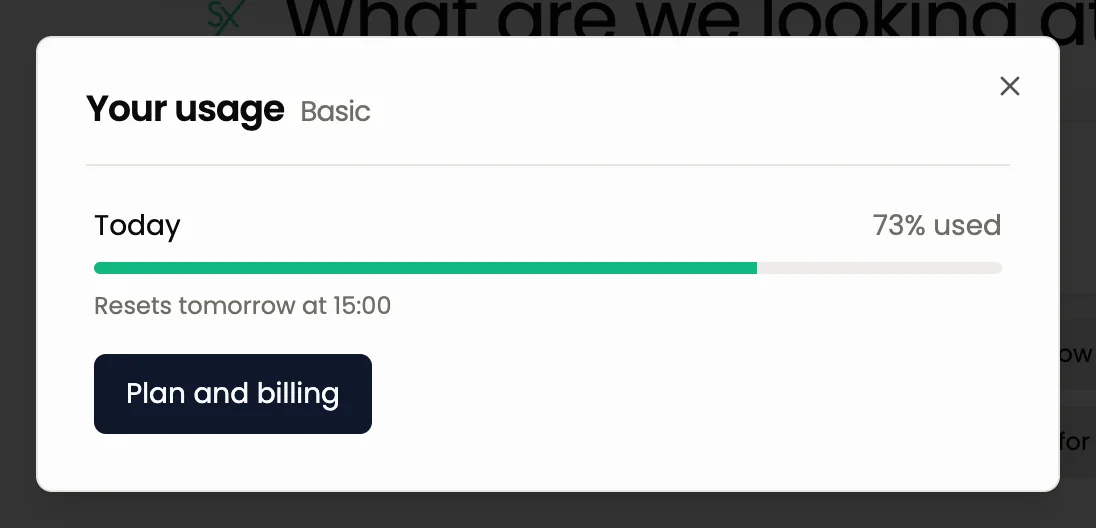
Usage shows Today and the percentage of the daily allowance you used, a progress bar, the time when it resets and a Plan and billing button. When the allowance is used up, the chat is locked until the reset, but you can still confirm or reject cards that are already on screen and use every other screen. See Usage.
Language
Choose English or Russian. The change applies to the whole app.
Plan and billing
Opens the plan page: your current plan with counters for smart trades, exchange accounts and running bots, the Start 7 days Pro trial button if the trial is available, and the plan comparison.

The tour for users of the classic interface
If you used the classic Skyrexio before, you see a window This is the new Skyrexio once. Press Show me for a 30-second tour with four steps: Your sections, New: just ask, Your account and Everything in one menu. Press Skip to close it. Nothing is lost: the Terminal, Bots, Trades and Accounts are all still here.
Ask the agent instead
How much of my AI allowance have I used today?
Remember that I only trade spot and never use leverage
Next: Security, Plans and limits.
Still have a question?
Ask the agent in the app, or write to support in the chat at the bottom right.