
Running a backtest
Test a strategy on up to two years of history before you risk money. Run it from the strategy builder or ask the agent, then save or compare the runs.
A backtest replays your strategy on historical prices and shows what it would have done. It is the fastest way to find out if a bot idea is broken before it touches your money. Backtests are available on every plan and are not counted against your limits.
Run it from the strategy builder
- Open Bots, press Add new and choose Strategy builder, or open Backtests and press New backtest. Both lead to the builder.
- Set up the strategy: rules, averaging, take profit, stop loss. See Strategy builder.
- In the Backtest parameters block of the same screen fill in:
- Backtest base asset: the coin to test. One coin per run.
- Dates: the period. History reaches back up to two years, and the picker only allows the dates for which data exists for that pair.
- Exchange commission, %: the fee. The default is 0.1%.
- The Trading amount and Max active trades come from the main settings of the strategy.
- Press Backtest. A run usually completes within 15 seconds, and a complex strategy can take a few minutes. If it takes longer than usual, you can cancel it and try again.
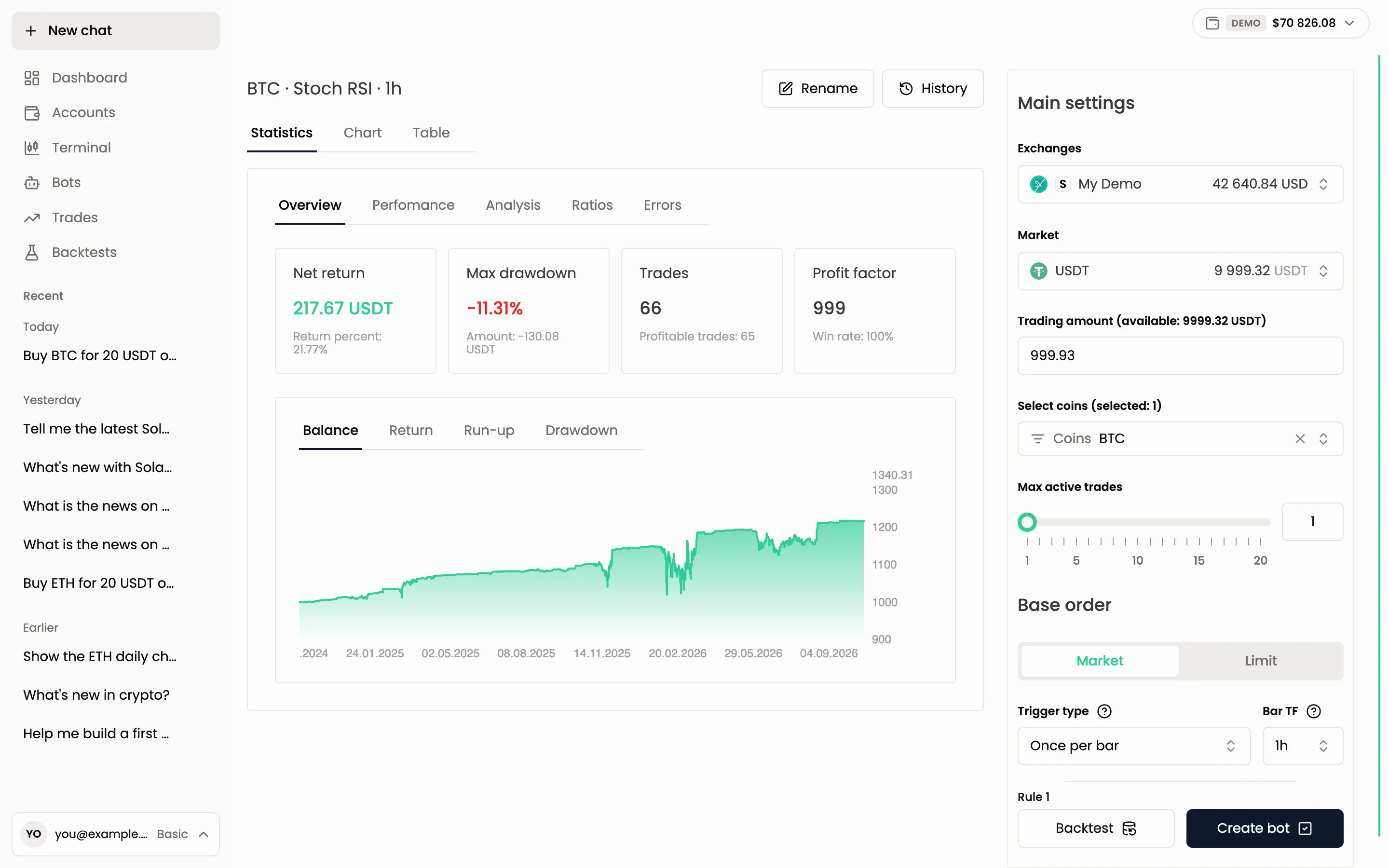
A run tests one coin. To compare the same strategy on several coins, run it once per coin.
Run it through the agent
You do not need a saved bot. Describe the idea and ask for a test.
Backtest a strategy that buys ETH when RSI on 4h is below 30 and sells at +5%, for the last 12 months with a 100 USDT trading amount
The agent drafts the rules, checks that data exists for the period, runs the backtest and explains the numbers. A backtest touches no money, so it needs no confirmation card. If your period is longer than the available history, the agent tells you the range it can use, or narrows the period and says so.
To test a bot you already have, open it with Edit bot in the Bots table and press Backtest in the builder.
Limits
- Two years of history at most, and only the period for which the exchange pair has data.
- 5 backtests per minute per user, in the app and in the chat together. If you hit the limit, wait a minute.
- One coin per run.
- The number of backtests is unlimited on every plan. Only the rate limit above applies.
Save a run
Every run is kept for a short time. To keep it, press Save on the result and give it a name. Saving asks for a confirmation card if you do it through the agent. Rename changes the name later.
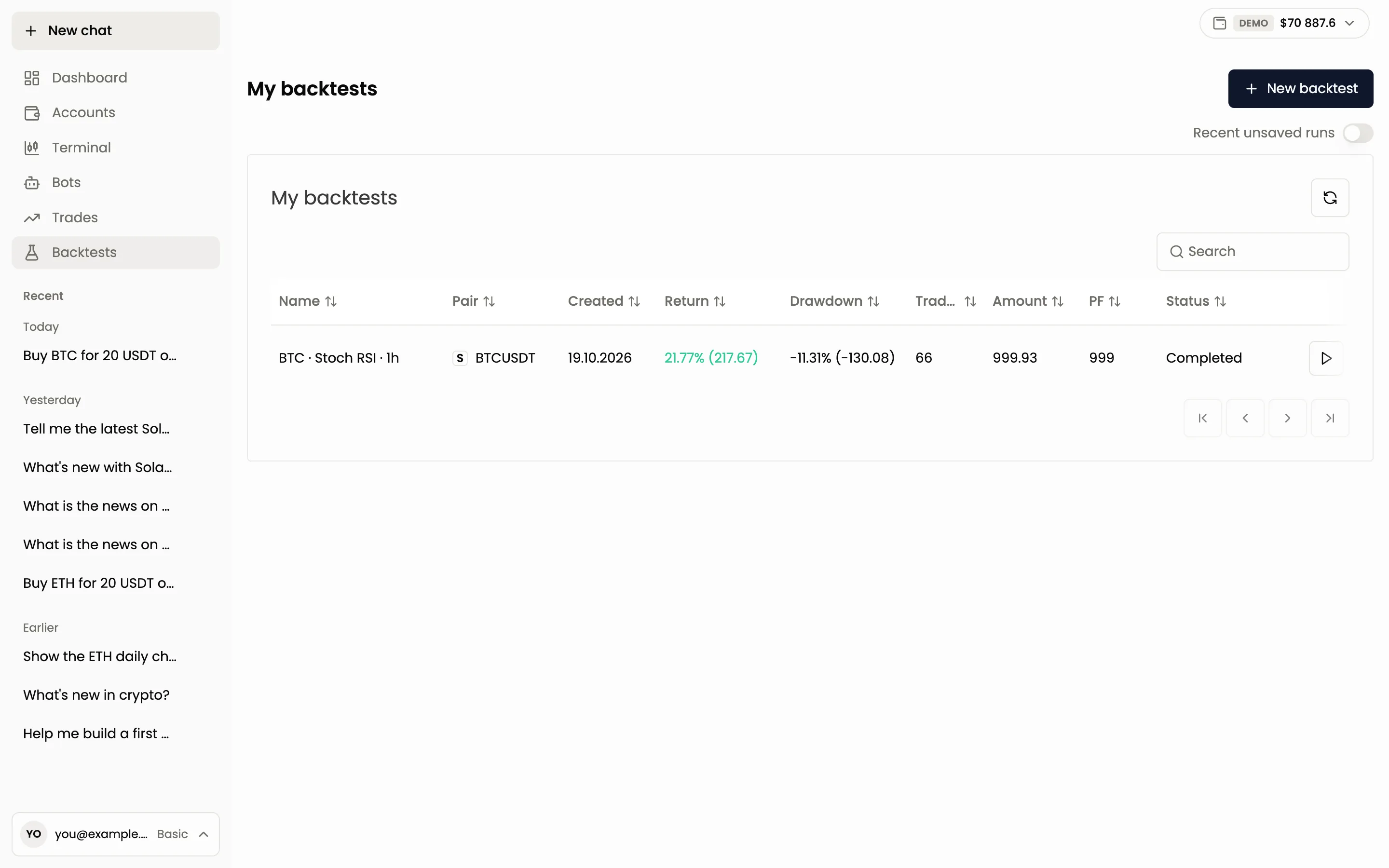
Runs you do not save are deleted after 3 days. Until then, turn on Recent unsaved runs in the Backtests section to see them.
The table in Backtests lists your saved runs with the pair, the date, the return, the drawdown, the number of trades, the amount and the profit factor (PF).
Compare runs
To choose between two versions of a strategy, run both and ask the agent to compare them.
Compare my last three backtests and tell me which one is better and why
The agent can compare 2 to 5 runs side by side and points out the main differences. Compare runs with the same period and the same amount, or the numbers will mislead you.
When a run fails
- The run ended with an error. Open the Errors tab of the result. It names the reason.
- "Backtests rate limit reached, only 5 per minute is allowed". You started more than 5 in a minute. Wait and run again.
- There are no trades. The rules never fired in this period. Loosen the conditions or choose another period.
Next: Reading the results.
Still have a question?
Ask the agent in the app, or write to support in the chat at the bottom right.