
AI allowance
How the AI allowance works on each plan, where to see how much you have used, and what happens when it runs out.
Every plan includes the AI agent, and every plan has an allowance: a measure of how much the agent can work for you in a period. The allowance is shown as a percentage, not as a money amount.
See how much you have used
- Open the account menu (your email at the bottom of the sidebar).
- Choose Usage.
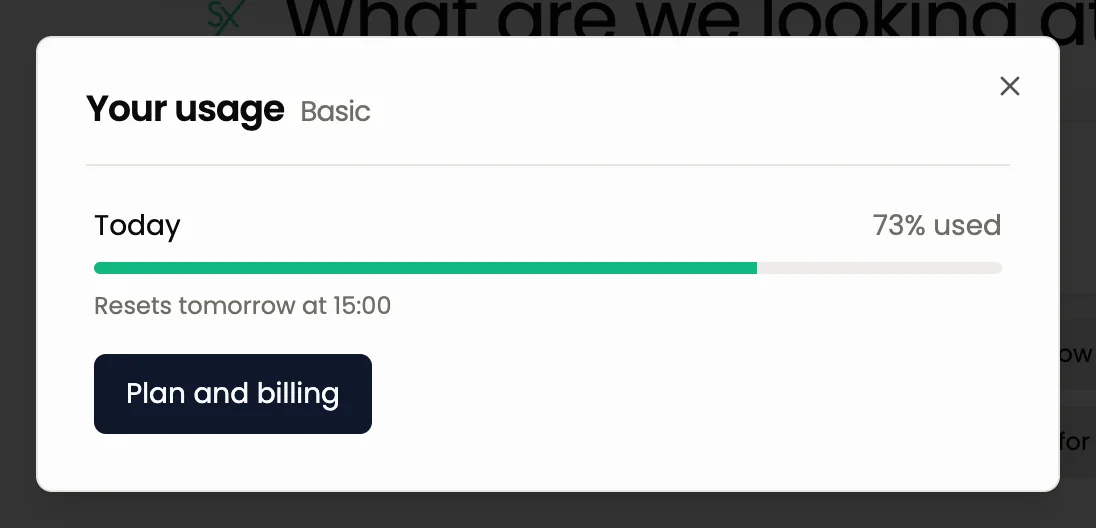
The window shows Today with the percentage used, a progress bar and a Resets at line with the time the allowance renews. There is a Plan and billing button in the same window.
How it works on each plan
| Basic | Pro | |
|---|---|---|
| AI agent | Included | Included |
| Allowance | Accrues gradually during a 30-day cycle | Larger, renewed daily |
| Unspent part | Carries over to later days of the cycle | Renews every day |
- Basic. The allowance builds up bit by bit through your 30-day cycle, so you can spread it out or spend more on a busy day. What you do not spend carries over to later days of the cycle.
- Pro. You get a larger allowance and it is renewed every day. See Plans and limits.
What uses more
Simple questions use little. These tasks use more:
- a deep news search;
- a long analysis that needs many data lookups;
- building a bot with many rules, and running and reading backtests;
- long chats: the agent re-reads the conversation each time, so a fresh chat is cheaper than a very long one.
Start a new chat when you change the topic, and ask for what you need in one clear message. Both save allowance.
When it runs out
If you use the whole allowance:
- The message box locks. It says that the assistant is unavailable until the limit resets and shows the time. On Basic there is also an Upgrade the plan button.
- Cards on screen still work. You can still confirm or reject a confirmation card that is already in the chat.
- The sections keep working. Dashboard, Accounts, Terminal, Bots, Trades and Backtests are regular screens with buttons, and they do not use the allowance. You can still manage trades and bots there. See Chat or buttons.
When the allowance renews at the time shown, you can write to the agent again.
Common questions
Does demo trading use the allowance? Talking to the agent uses it in any mode. Demo trades, bots and backtests do not count against plan limits, but the conversation does use the AI allowance.
Where do I see the exact reset time? In Usage, on the line "Resets at".
Can I get more? Pro has a larger allowance. Open Plan and billing from the account menu or from the Usage window.
Next steps
Still have a question?
Ask the agent in the app, or write to support in the chat at the bottom right.