
Invite a friend
Create your referral code, share the link and earn lifetime cashback on the payments of the people you invite. Statistics, balance and withdrawals.
The referral program pays you when people you invite subscribe to Skyrexio. You create a personal code once, share your link, and the program tracks clicks, registrations and payments.
For the full terms of the program, see skyrexio.com/affiliate.
What you earn
As shown in the app, you get 25% lifetime cashback on the payments of the people you invited, and 10% from the payments of the people they invite. The percent is paid for as long as those users keep paying.
Create your code
- Open the account menu and choose Invite a friend.
- Enter the code you want in the Referral code field, a word or a name that people will recognize, and press Create.
- Your link appears. Copy it and share it.
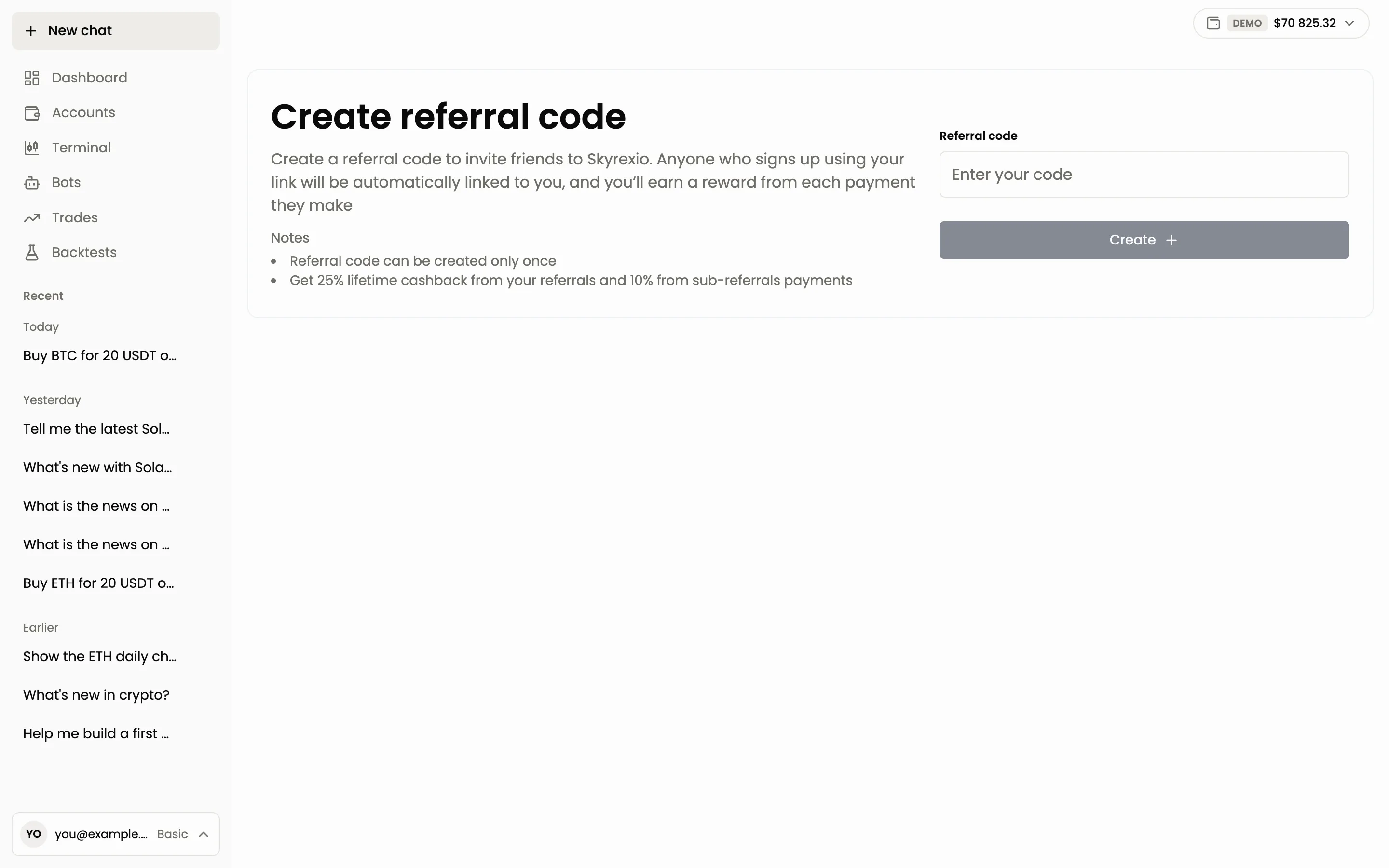
A referral code can be created only once, so choose it with care.
A person who registers through your link is linked to you automatically.
Statistics
The page shows how the program works for you:
- Clicks: how many people opened your link.
- Registrations: how many registered through it.
- Payments: how many payments the invited users made.
- Revenue share: your rebate percent.
Below are two tables. Payments lists each payment of the invited users with the date, the amount, your share and the referral level (first or second). Withdrawals lists your payouts. Both tables have an Export button.
Balance and withdrawal
The Referral balance block shows the available balance, the total of payments and the total withdrawn. Press Withdraw to request a payout. A request is processed within 24 hours, and its status appears in the Withdrawals table as pending or paid.
Questions
Where do I find my link? In Invite a friend, after you create the code.
Can I change the code? No. The code is created once.
Why is my balance zero? Cashback appears after the invited person pays for a plan. Registrations alone do not earn anything.
Next: Plans and limits.
Still have a question?
Ask the agent in the app, or write to support in the chat at the bottom right.